


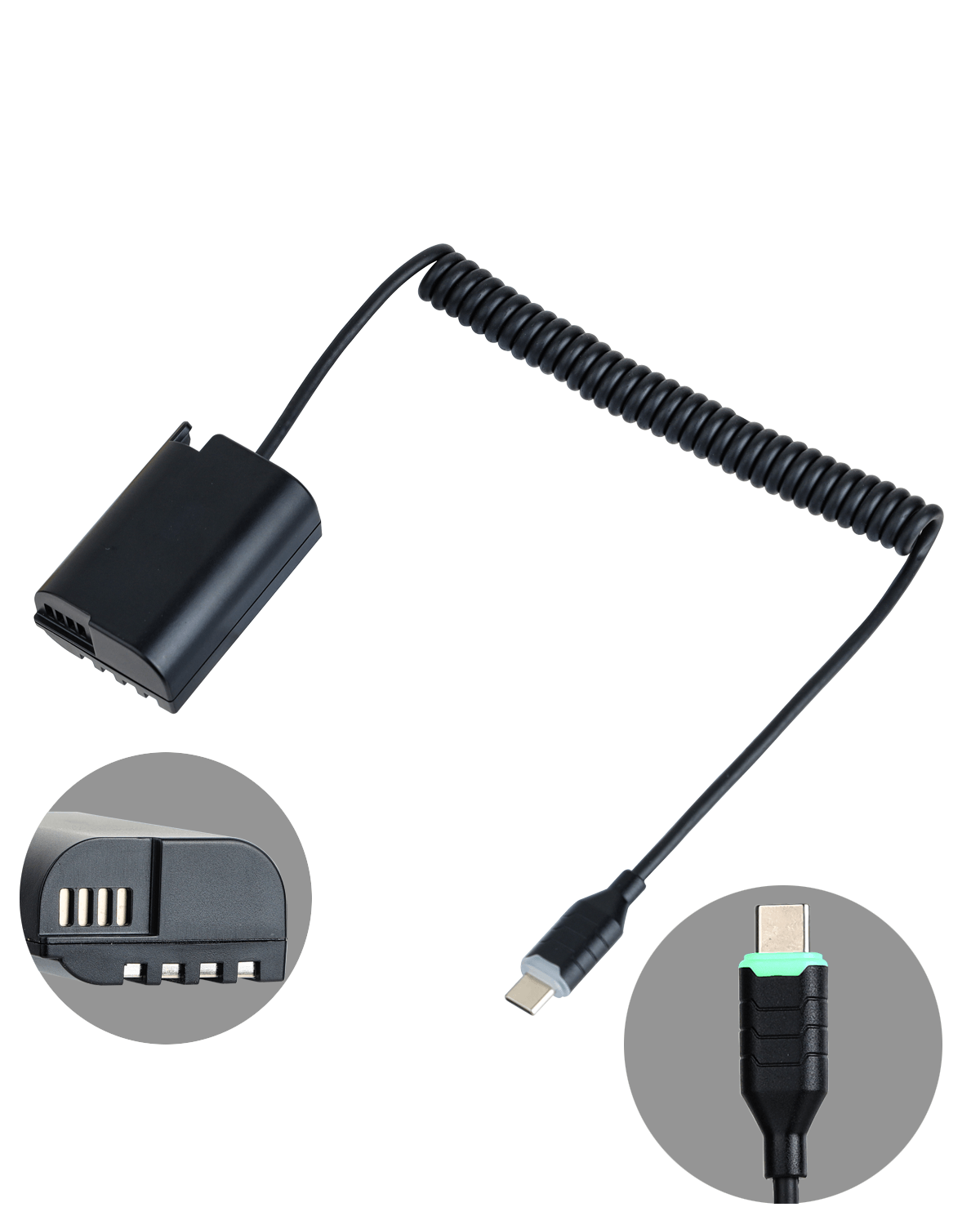
Never let a low battery interrupt your shoot. The USB-C PD to DMW-BLK22 Dummy Battery Cable (DMW-DCC17) provides continuous, stable power to your Panasonic Lumix camera directly from PD-enabled power banks, V-Mount batteries, or USB-C wall adapters. Featuring a smart green LED power indicator on the Type-C plug and a flexible, tangle-free coiled cord, it is an essential power solution for studio recording, extended interviews, live streaming, and long time-lapse photography.
Key Features
- Smart Green LED Power Indicator: Built-in green LED ring/indicator on the Type-C connector illuminates upon receiving active power, allowing you to instantly verify connection status and PD handshake before powering on your camera.
- Flexible Coiled Cable Design: Compact 13.8" (35 cm) resting length extends smoothly up to 39.4" (100 cm / 3.3 ft), keeping your camera cage or gimbal setup clean, snag-free, and organized.
- Intelligent PD Voltage Conversion: Accepts wide USB-C PD input (9V–20V, 2A–5A) and delivers a precisely regulated, camera-safe 7.4V–8.4V output.
- Comprehensive Circuit Protection: Engineered with over-voltage, over-heating, over-current, and short-circuit protection chips to ensure 100% safe operation for your camera.
- Plug-and-Play Continuous Power: Seamlessly replaces OEM DMW-BLK22 and DMW-BLF19 batteries to unlock unlimited recording runtime via external V-Lock or USB-C power sources.
Recommended Power Sources
- Power banks with USB-C PD output (PD 18W / 30W / 45W / 65W or higher).
- V-Mount / Gold-Mount cinema batteries equipped with a USB-C PD output port.
- USB-C PD wall chargers/adapters (PD protocol required; standard 5V USB ports are not supported).
Important Notice:
1. Indicator Check: When connected properly to a powered USB-C PD source, the green LED on the Type-C plug will turn on. If it does not light up, please check if your power source supports PD output.
2. Always close the camera's battery door completely after inserting the dummy battery; otherwise, the camera's safety switch will prevent it from powering on.
1. Indicator Check: When connected properly to a powered USB-C PD source, the green LED on the Type-C plug will turn on. If it does not light up, please check if your power source supports PD output.
2. Always close the camera's battery door completely after inserting the dummy battery; otherwise, the camera's safety switch will prevent it from powering on.