


POWRIG Canon R5C Timecode Cable (TC-R5C)
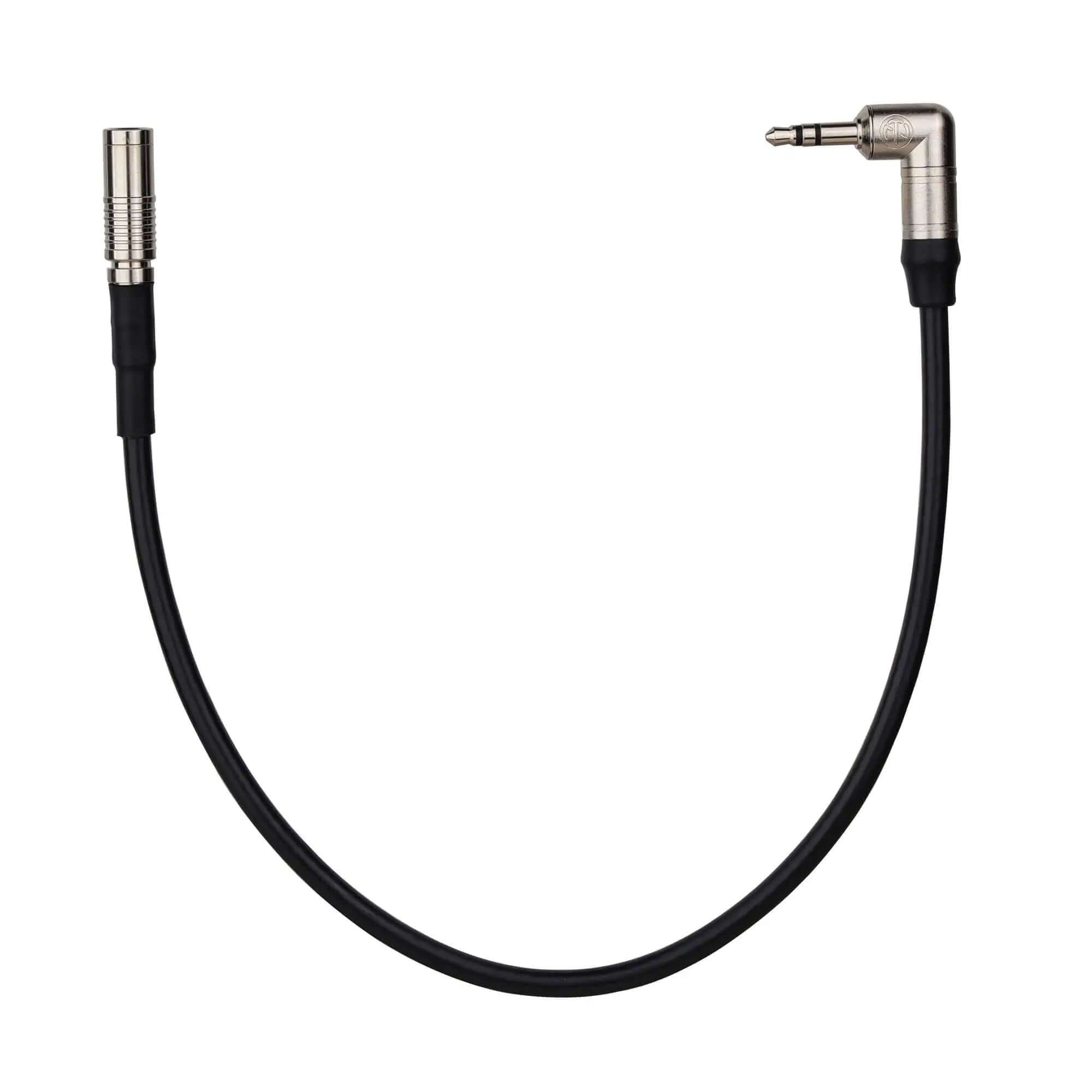
The POWRIG TC-R5C is a dedicated LTC (Linear Timecode) cable that connects the Canon EOS R5C camera's timecode port to any external timecode generator with a 3.5mm TRS output — including Tentacle Sync E, Ambient Recording Lockit, Timecode Systems UltraSync, and Deity THEOS wireless receivers.
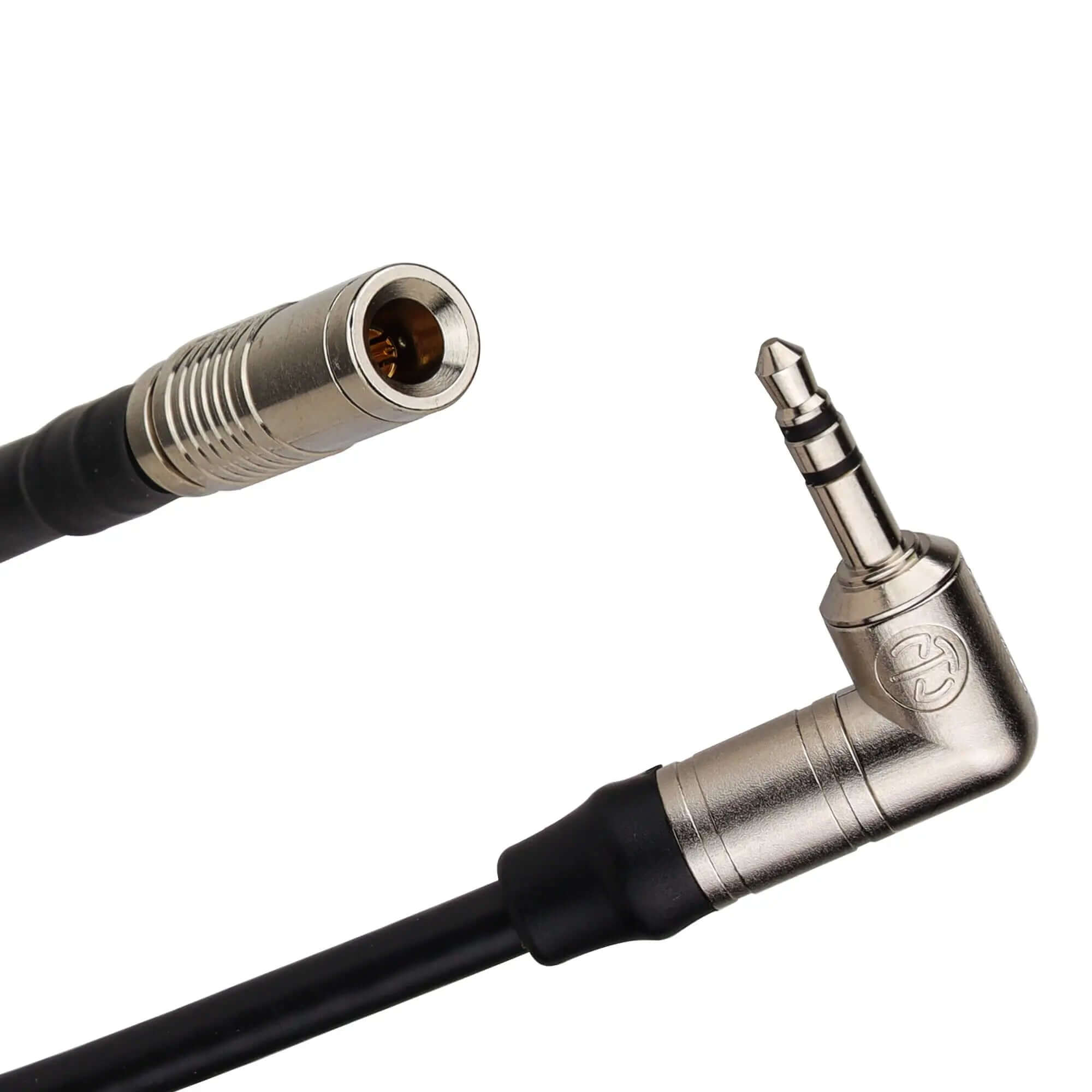
The cable features a DIN 1.0/2.3 connector on the camera end (matching the Canon R5C's proprietary timecode port) and a 3.5mm TRS (tip-ring-sleeve) plug on the generator end. At just 30 cm (12") and 22 g, it adds negligible bulk to your camera rig while providing reliable LTC jam sync for multi-camera and dual-system audio workflows.
Key Features
- DIN 1.0/2.3 to 3.5mm TRS — Purpose-built connector pairing that matches the Canon R5C timecode port on one end and the standard 3.5mm TRS timecode output found on most external timecode generators.
- LTC Signal Transmission — Carries Linear Timecode (LTC) at standard frame rates: 23.976, 24, 25, 29.97, 29.97 DF, and 30 fps. The cable wiring is configured for correct LTC polarity and level matching between generator and camera.
-
Compatible with Major Timecode Generators — Works with any generator that outputs LTC via a 3.5mm TRS jack, including:
- Tentacle Sync E / E MKII
- Ambient Recording Lockit (LTS-2, ACL-204)
- Timecode Systems UltraSync ONE / UltraSync BLUE
- Deity THEOS wireless receiver (TC output)
- Betso TCX-2 / TCX-2+
- Denecke JB-1 SyncBox
- 30 cm (12") Compact Length — Short enough to route cleanly inside a camera cage or between a cage-mounted generator and the R5C timecode port. No excess cable to manage or coil on set.
- 22g Ultra-Lightweight — Adds negligible weight to the rig. Important for gimbal-balanced setups where every gram affects motor calibration.
- Shielded Cable Construction — Internal shielding prevents electromagnetic interference (EMI) from nearby power cables, wireless transmitters, and LED drivers from corrupting the LTC signal.
Specifications
| Attribute | Detail |
|---|---|
| Model | TC-R5C |
| Camera Connector | DIN 1.0/2.3 (Canon R5C timecode port) |
| Generator Connector | 3.5mm TRS (tip-ring-sleeve) |
| Signal Type | LTC (Linear Timecode) |
| Supported Frame Rates | 23.976, 24, 25, 29.97, 29.97 DF, 30 fps |
| Cable Length | 30 cm / 12 inches |
| Weight | 22 g (0.78 oz) |
| Cable Type | Shielded, flexible |
| Compatible Camera | Canon EOS R5C only |
What's in the Box
- 1 × POWRIG TC-R5C timecode cable (30 cm / 12")
Note: Camera and timecode generator are not included. Ensure your timecode generator outputs LTC via a 3.5mm TRS jack before ordering.
Why You Need a Timecode Cable for Multi-Camera Shoots
When shooting with multiple cameras and separate audio recorders, each device runs its own internal clock. Even slight clock drift between devices causes audio and video to fall out of sync during editing — especially on long takes.
A timecode generator (like Tentacle Sync or Ambient Lockit) feeds identical LTC (Linear Timecode) to every camera and audio recorder simultaneously. Each device stamps every frame with the same timecode value (hours:minutes: seconds:frames). In post-production, editing software like DaVinci Resolve, Premiere Pro, or Avid Media Composer uses this shared timecode to automatically align all camera angles and audio tracks — no manual syncing or clapper board required.
The Canon EOS R5C has a dedicated timecode port using a DIN 1.0/2.3 connector (a small, proprietary connector also found on some ARRI and RED cameras). This POWRIG cable bridges that proprietary port to the standard 3.5mm TRS output on your timecode generator, enabling jam sync or continuous LTC feed.
Timecode Generator Compatibility
| Generator | 3.5mm LTC Output | Compatible |
|---|---|---|
| Tentacle Sync E / E MKII | Yes | Yes |
| Ambient Lockit ACL-204 / LTS-2 | Yes | Yes |
| Timecode Systems UltraSync ONE | Yes | Yes |
| Timecode Systems UltraSync BLUE | Yes (via Bluetooth + 3.5mm) | Yes |
| Deity THEOS (RX TC output) | Yes | Yes |
| Betso TCX-2 / TCX-2+ | Yes | Yes |
| Denecke JB-1 SyncBox | Yes | Yes |
Frequently Asked Questions
What is a DIN 1.0/2.3 connector and why does the Canon R5C use it?
DIN 1.0/2.3 is a small coaxial connector commonly used for timecode and SDI signals in professional cinema cameras. It is smaller than a BNC connector, which is why it is used on compact camera bodies like the Canon R5C where space is limited. The connector has a push-pull locking mechanism that prevents accidental disconnection during shooting.
Will this cable work with the Canon R5 (non-C)?
No. The Canon EOS R5 (photo-focused model) does not have a dedicated timecode port. Only the Canon EOS R5C (cinema variant with fan-cooled body and Cinema EOS firmware) has the DIN 1.0/2.3 timecode port that this cable connects to. This cable is not compatible with the R5, R6, R3, or other Canon mirrorless cameras without a timecode port.
Do I need to jam sync once or run continuous timecode?
The Canon R5C supports both modes. Jam sync means you connect the cable, feed timecode once to set the camera's internal clock, then disconnect. The camera runs on its own clock and may drift over several hours. Continuous feed means you leave the cable connected and the generator feeds LTC continuously — this is more reliable for long shoots (over 4 hours) and eliminates drift entirely. This cable supports both workflows.
What frame rate should I set on my timecode generator?
Your generator's frame rate must match your camera's recording frame rate. Common settings: 23.976 fps for cinematic film/TV, 25 fps for PAL regions (Europe, Asia), 29.97 fps for NTSC regions (North America, Japan), 29.97 DF (drop frame) for broadcast TV. Always confirm your camera's TC menu is set to the same rate as the generator before jamming.
Will this cable work with the Canon C70 or C300 Mark III?
No. The Canon C70, C300 Mark III, and C500 Mark II use BNC connectors for timecode, not DIN 1.0/2.3. For BNC-equipped Canon cinema cameras, you need a standard BNC timecode cable. Check our timecode cable collection for the correct cable for your camera.
Can I use this cable for audio, not timecode?
No. The Canon R5C's DIN 1.0/2.3 port is dedicated to timecode input/output only. It does not carry audio signals. For audio input to the R5C, use the camera's 3.5mm microphone input or a digital audio interface connected via USB-C or HDMI.
Is the 30cm cable length sufficient for a cage-mounted generator?
Yes. 30 cm (12") is the ideal length for mounting a timecode generator (Tentacle Sync E, Ambient Lockit) directly on the camera cage next to the R5C timecode port. The cable routes cleanly without excess length to manage. If your generator is mounted off-camera (e.g., on a separate rig or audio cart), you will need a longer cable or a BNC extension.
